Memberships
Membership members
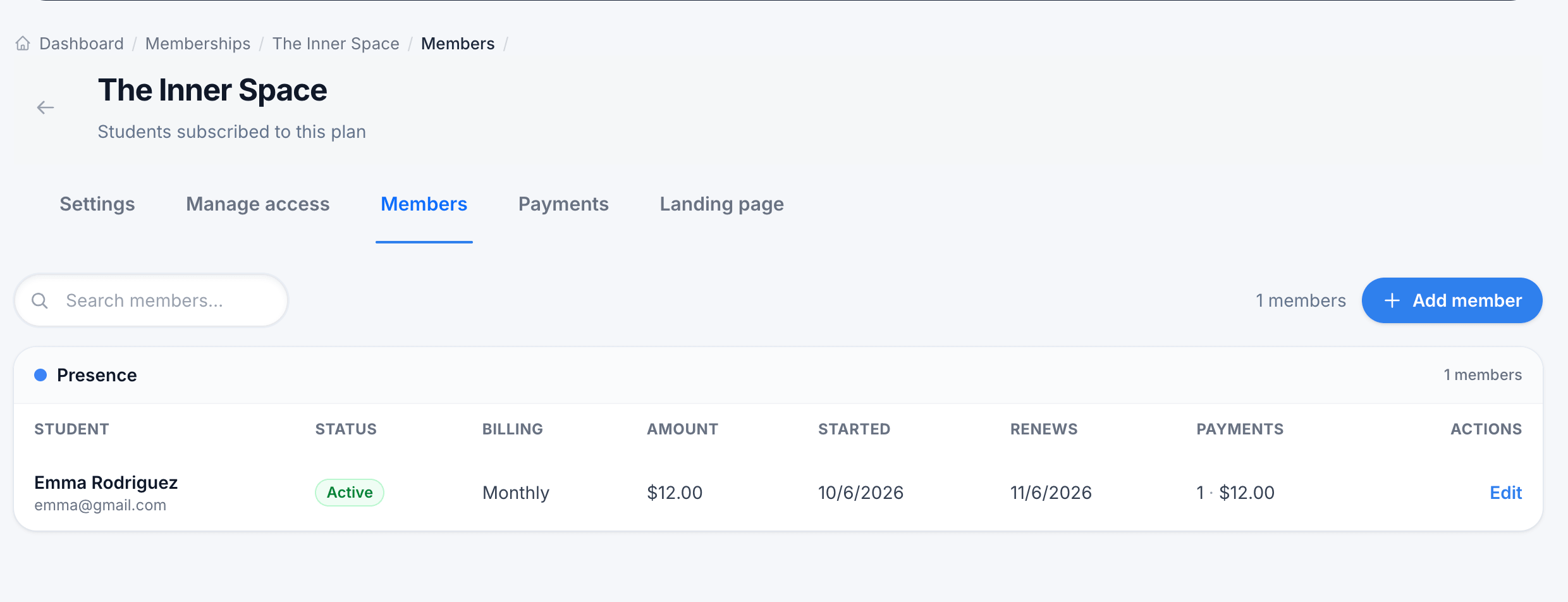
The Members tab shows all students subscribed to this membership, grouped by plan.
Viewing and searching members
Each row shows the student's name and email, subscription status, billing cycle, amount, start date, renewal date, and total payments made. Use the search bar to find a specific student.
Adding a member manually
Click + Add member to subscribe a student without them going through the checkout flow. Use this for comped access, offline sales, or migrated subscribers.
Editing a subscription
Click Edit next to any member to modify their subscription — change their plan, billing cycle, or other details. Changes take effect based on the plan change timing setting in Plan rules.