Memberships
Membership payments
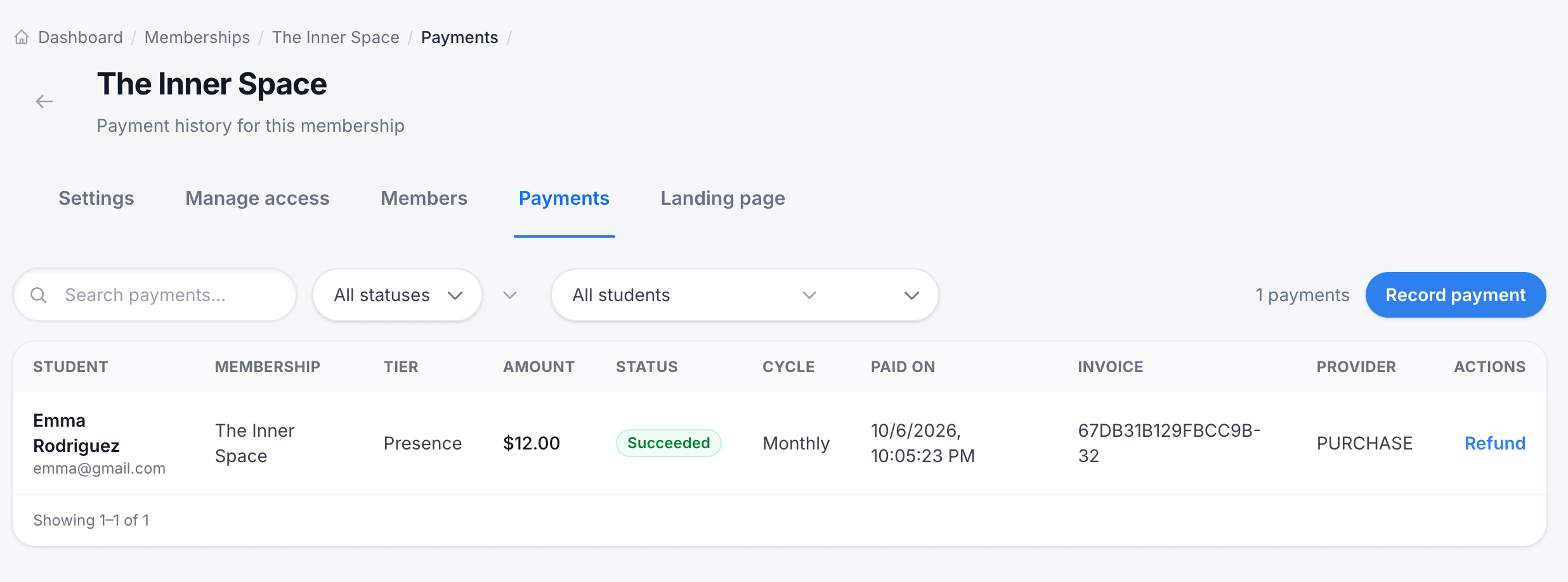
The Payments tab shows the full payment history for this membership.
Payment history
Each row shows the student, plan tier, amount, status, billing cycle, payment date, invoice ID, and payment provider. Filter by status or by student using the dropdowns, or search by name or email.
Recording a payment
Click Record payment to log a transaction that happened outside the platform — a bank transfer, a cash payment, or any sale processed through a different system.
Issuing a refund
Click Refund in the Actions column next to any successful payment to issue a refund for that transaction.