Setting up plans and tiers
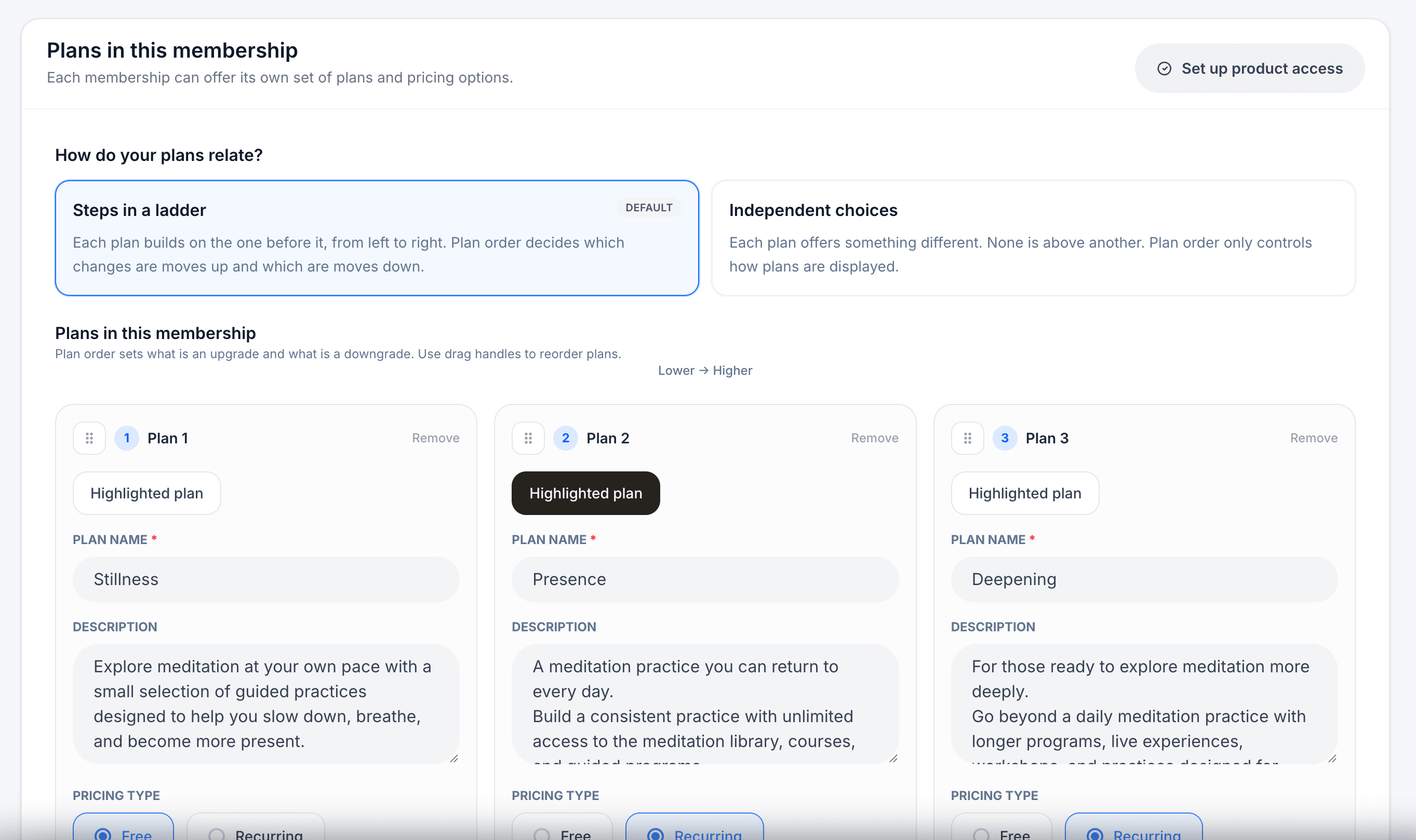
Open a membership, go to the Settings tab, and scroll to Plans in this membership to manage your tiers.
Adding and reordering plans
Click Add another plan to add a new tier. Each plan needs a name — something like Starter, Pro, or Platinum — and a pricing type. Drag plans by the handle on the left to reorder them. Order matters if your plans are set up as steps in a ladder.
Free vs recurring pricing
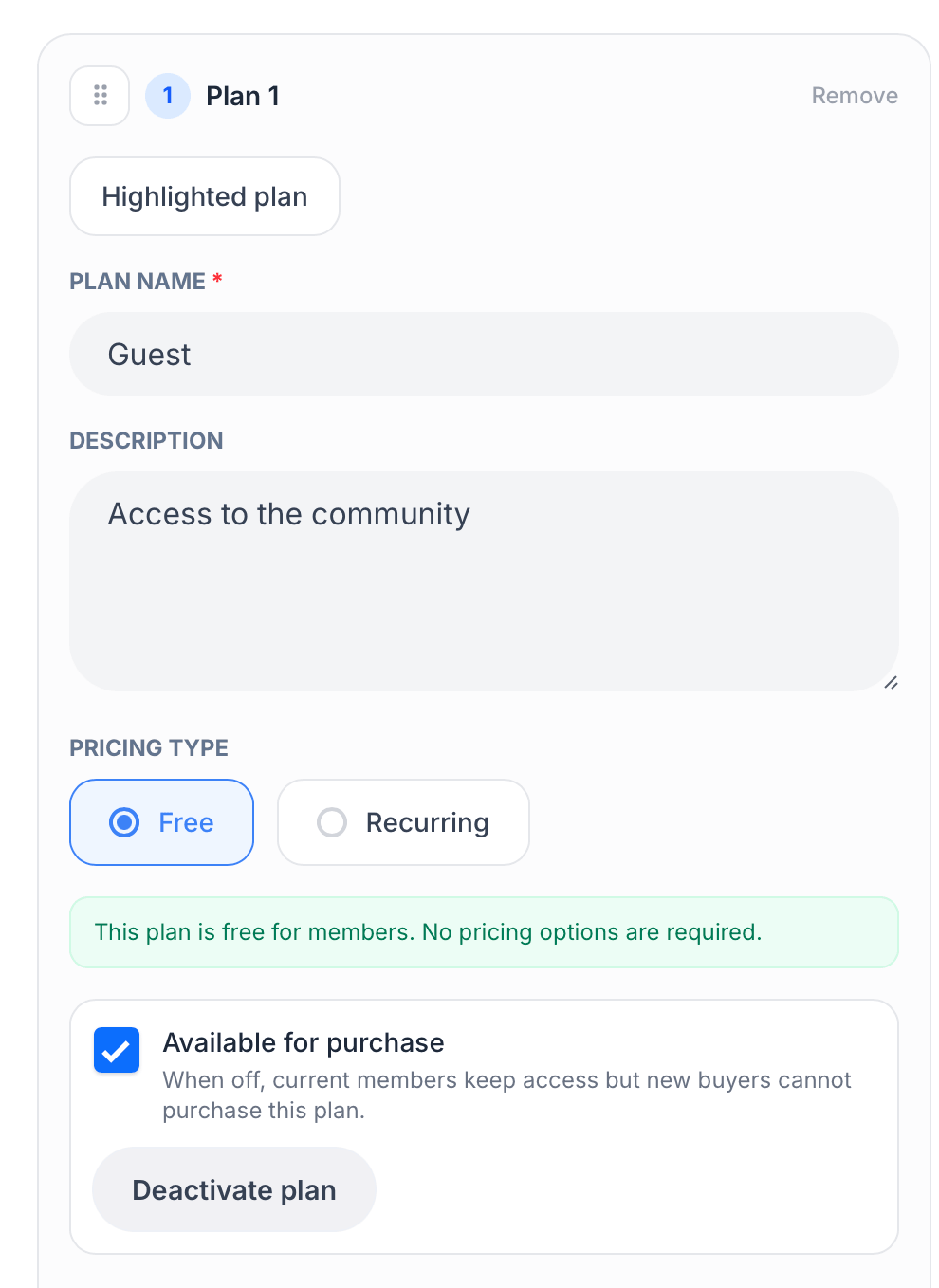
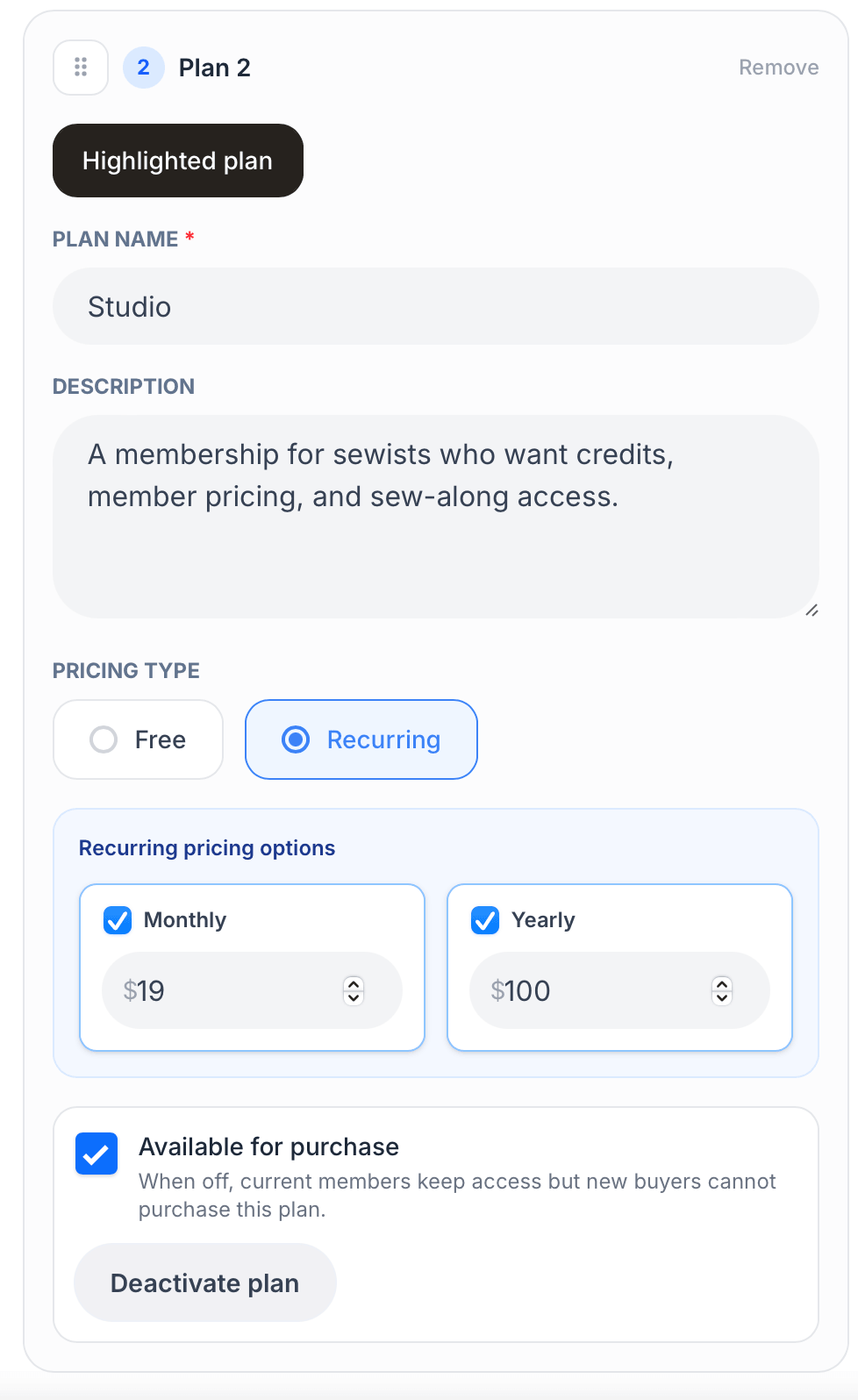
Set pricing to Free for plans with no charge. Set it to Recurring for paid plans, then enter a monthly price, a yearly price, or both. You can offer one billing cycle or both — students choose at checkout.
Available for purchase
Recurring plans have an Available for purchase toggle. When off, current members keep their access but no new subscribers can join that plan. Use this to quietly close a plan without deactivating it.
Highlighted plan
Toggle Highlighted plan on one of your plans to feature it on the pricing page. Only one plan can be highlighted at a time.
Deactivating a plan
Click Deactivate plan to suspend a plan entirely. Current members keep access but the plan stops accepting new subscribers and won't renew. You can reactivate it later from the same place.