What each plan unlocks
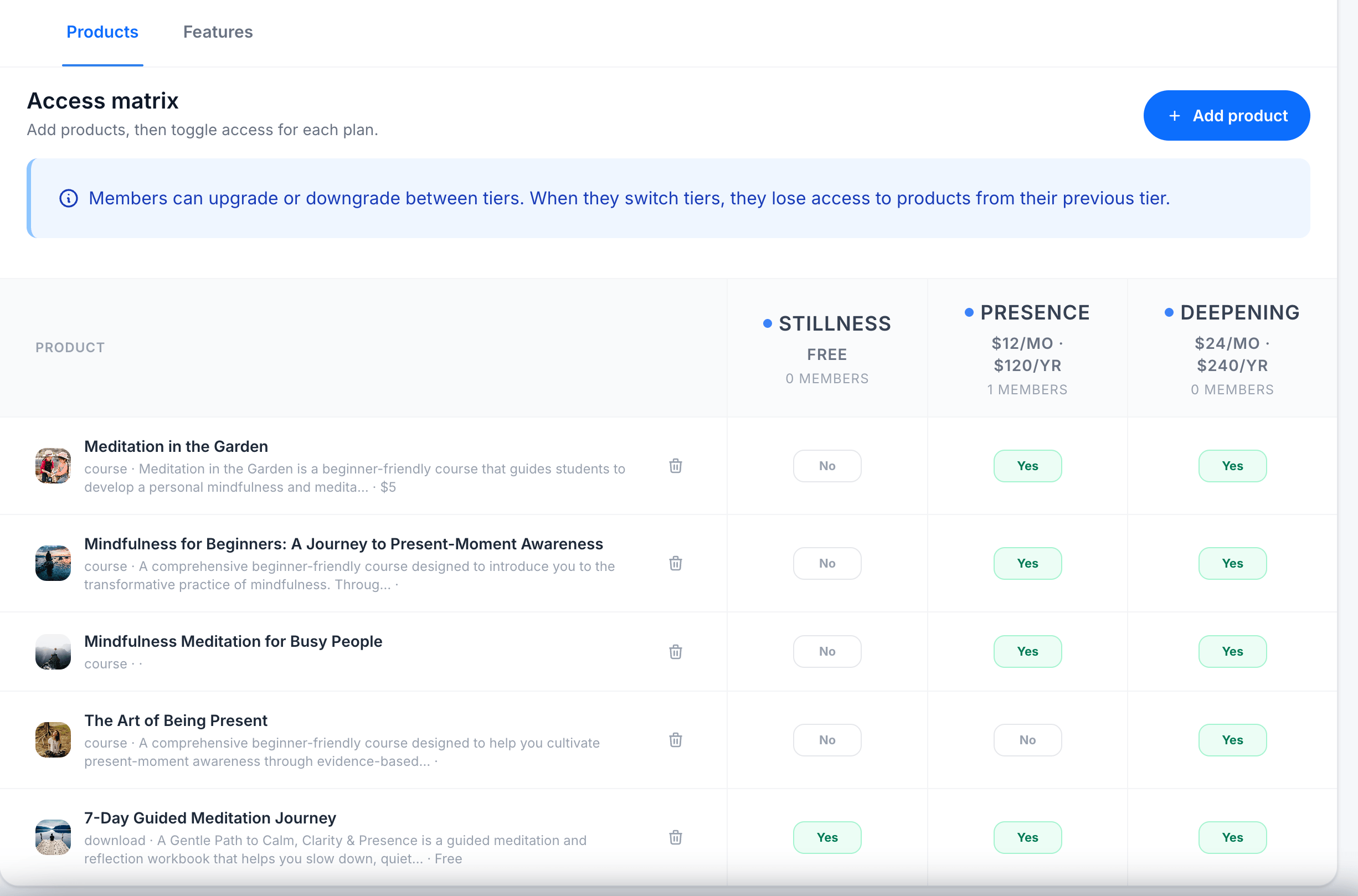
The Manage access tab is where you define what each plan actually unlocks. It has two sub-tabs: Products and Features.
Products matrix
The products matrix shows your courses and downloads as rows and your plans as columns. Toggle each cell to Yes or No to control which plan gives access to which content. Click + Add product to bring a course or download into the matrix. To remove a product from the membership entirely, click the trash icon next to it.
When a member switches tiers, they lose access to products from their previous tier. Changes apply to new and existing members immediately on save.
Features matrix
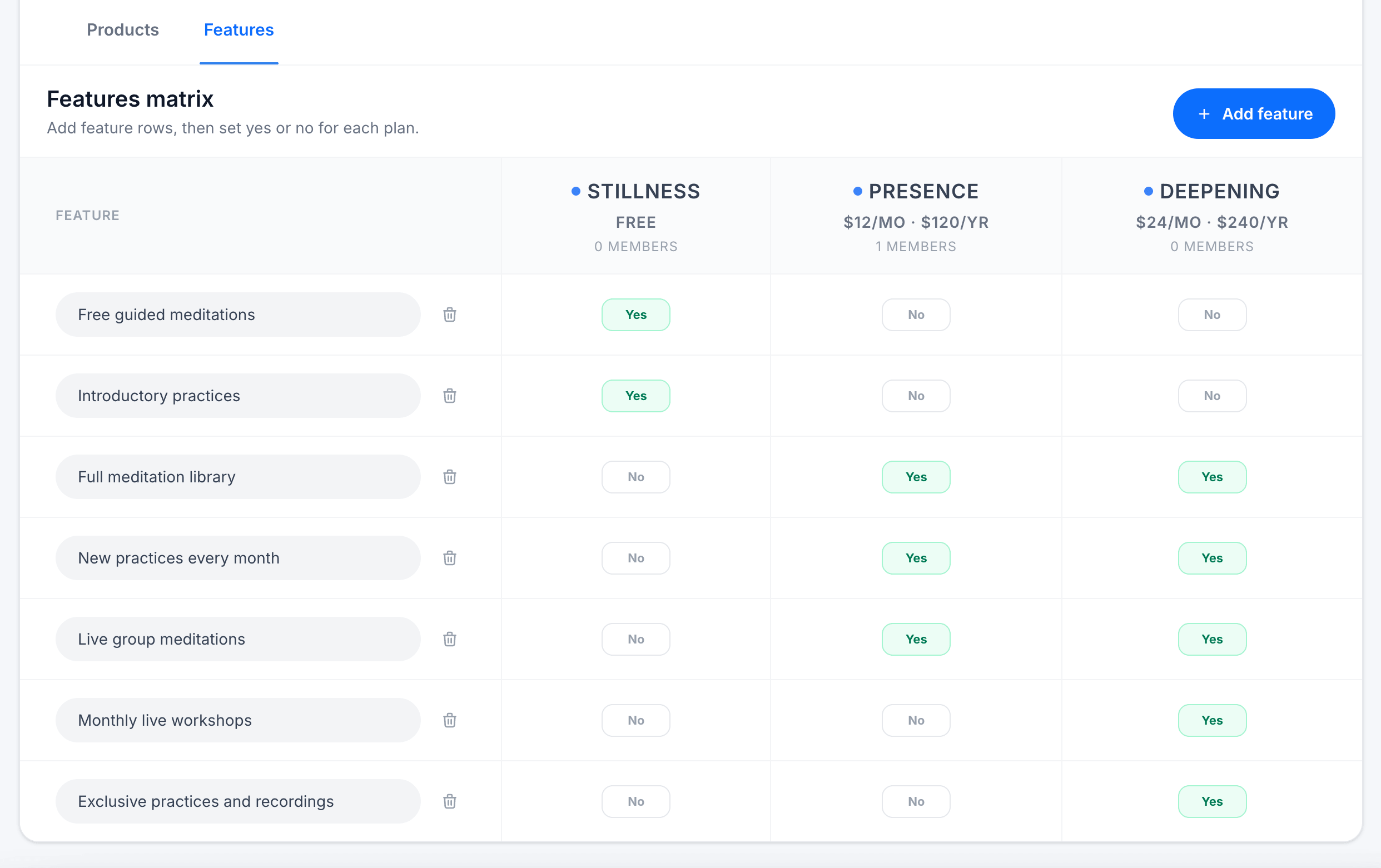
The features matrix works the same way but for text descriptions rather than actual content. Each row is a feature label — things like "Full meditation library" or "Monthly live workshops" — that appears on your landing page pricing table to help students compare plans before subscribing.
Click + Add feature to add a new row, then toggle it on or off for each plan. Click the trash icon to remove a feature entirely.