

If you manage training for a company, you already know the drill: a new employee joins, someone has to remember to enroll them in the right courses, and half the time there's a gap between day one and when they actually get access to anything. Or a policy changes, a new compliance course goes live, and you're digging through your student list trying to figure out who needs it.
Student groups in eProfessor were built specifically for this problem.
The basic idea
A student group is a named collection of learners — Engineering, Marketing, Sales Onboarding, whatever maps to how your org is structured — with courses assigned at the group level. The moment a student joins a group, they get access to every course assigned to it. The moment you remove them, that access is gone. No per-enrollment steps, no cleanup work afterward.
You create the group once, assign your courses once, and then the only ongoing task is keeping the membership list current.
Building a sequence, not just a pile of courses
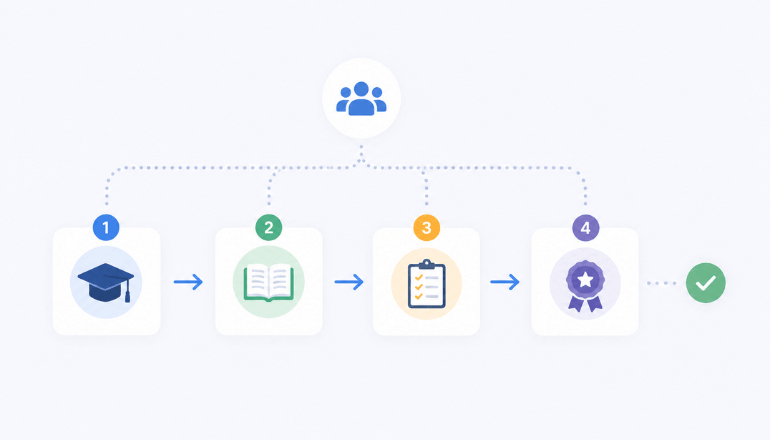
Assigning five courses to a group is easy. Making sure employees complete them in a sensible order takes a little more setup, and that's where the Learning path tab comes in.
From there, you can connect courses to define prerequisites. If you want new engineers to finish the Code of Conduct before they can access QA Testing Fundamentals, you draw that connection and the platform enforces it. Students see what's available to them now and what's locked pending another completion — which tends to reduce the "what am I supposed to do first?" questions HR teams field during onboarding.
Keeping training private to the right people
One configuration detail matters a lot for internal training: the courses you assign through groups should be set to Privatein their purchase and enrollment settings. That means turning off "Show in public catalog," "Show in private catalog," and "Show standard landing page."
With all three off, the course is invisible to anyone browsing your portal. Employees in the right group access it automatically; everyone else never sees it. This is the right setup for compliance training, internal handbooks, department-specific onboarding — anything that belongs to a specific audience rather than your general catalog.
What this actually saves
The clearest ROI is onboarding. Instead of building an enrollment checklist and hoping whoever runs the process remembers to follow it, you add a new hire to their department group and training starts. Same story when someone changes roles: swap their group membership and their course access updates to match.
For compliance cycles, it's even more direct. Add a new required course to the relevant group and every member gets it immediately — no announcement, no manual re-enrollment, no chasing down who completed it and who didn't.
The groups feature isn't a workaround for a tedious process. It just makes the tedious process disappear.
Student groups are available on all eProfessor plans. You can create and manage your groups from Users → Student groups in your admin dashboard.
Leave a Reply