

Setting Up Certificates
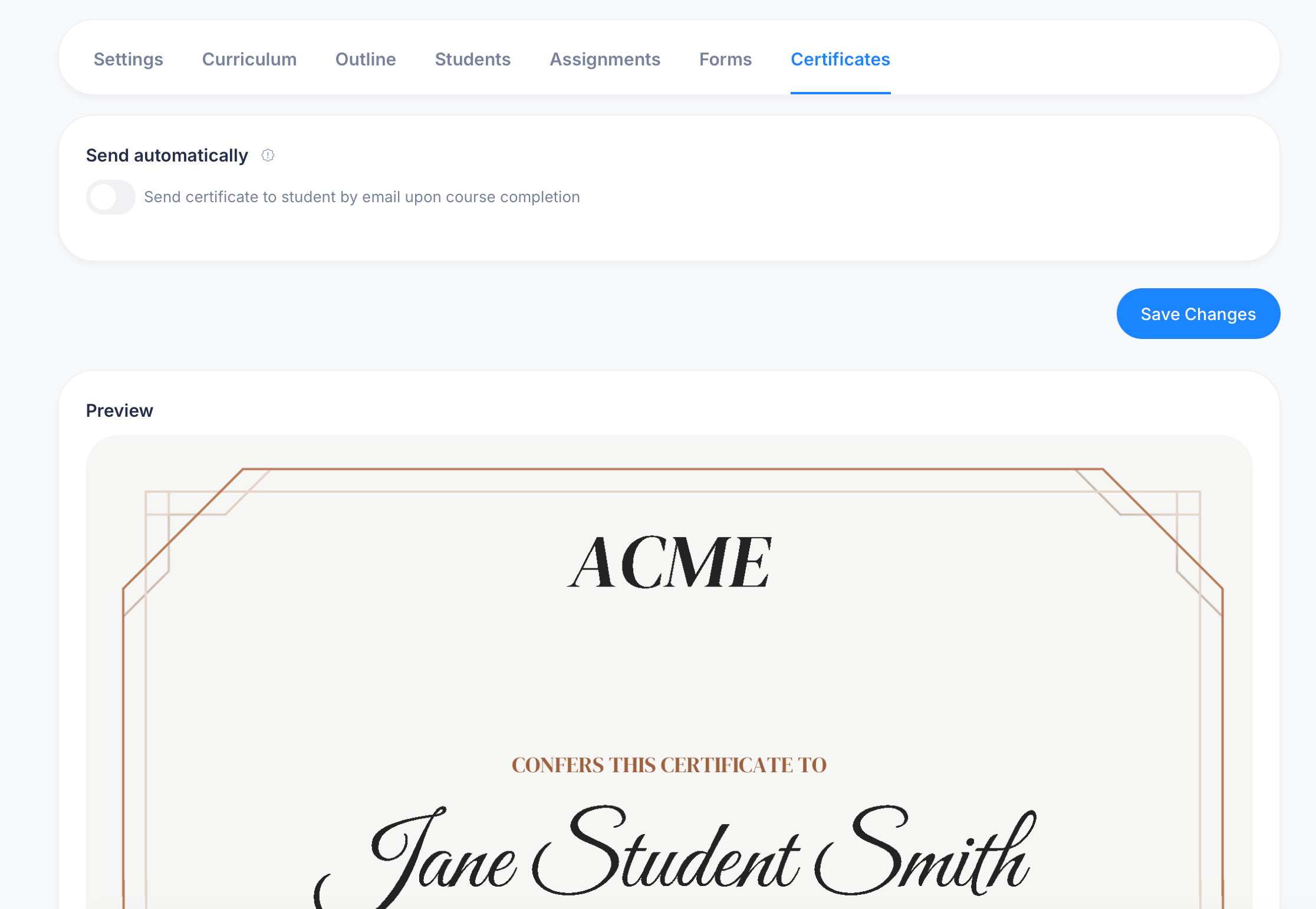
The Certificates tab on a course controls whether students automatically receive a certificate when they finish the course, and gives you a live preview of exactly what that certificate looks like.
Getting there
Open a course and select Certificates from the tab bar.
Certificate settings
Send automatically — when this toggle is on, eProfessor emails the certificate to a student automatically the moment they complete the course. With it off, you'll need to issue certificates manually rather than having them go out on their own.
Click Save Changes after adjusting this setting.
Unlike an assessment's certificate settings, a course doesn't include a "Passed exams only" toggle, since course completion isn't a pass/fail outcome the way an exam attempt is. Completing a course simply means a student has worked through its required content.
Previewing the certificate
Below the settings, a live Preview shows exactly what the certificate looks like. The course certificate template includes:
- Your organization or brand name prominently at the top (shown as "ACME" in the example)
- Confers this certificate to, followed by the student's name in a signature-style font
- The remainder of the certificate, including the course name, signature line, and completion details, follows the same general layout as an assessment certificate
This preview reflects your actual branding and settings, so it's worth checking after any changes to your course title or organization details to confirm the certificate still reads correctly.
Choosing the right setting for your course
If your course functions as a real credential, an onboarding track, a certification program, or anything where finishing matters as proof of something, turn on Send automatically so every student gets recognized the moment they're done, with no manual work on your end.
If the course is more casual or exploratory, content people might browse rather than complete in order, you might leave this off and skip certificates for that course altogether, since a completion certificate doesn't add much value when there isn't a clear finish line being celebrated.
Tips
A course certificate is tied to overall course completion, not to any single assessment inside it. If your course includes a graded exam partway through, that exam can issue its own certificate separately, under its own Certificates tab, distinct from the course-level certificate covered here.
If you're not sure whether automatic sending is working as expected, complete the course yourself with a test account before relying on it for real students.