

Setting Up Drip Content and Release Schedules

By default, students can see everything in your course the moment they enroll. For some courses that's exactly what you want. For others, especially multi-week programs or anything designed to be worked through gradually, releasing content over time keeps students paced and prevents them from skipping ahead and burning out in week one.
eProfessor handles this through Schedule options, available at the course level.
The four release options
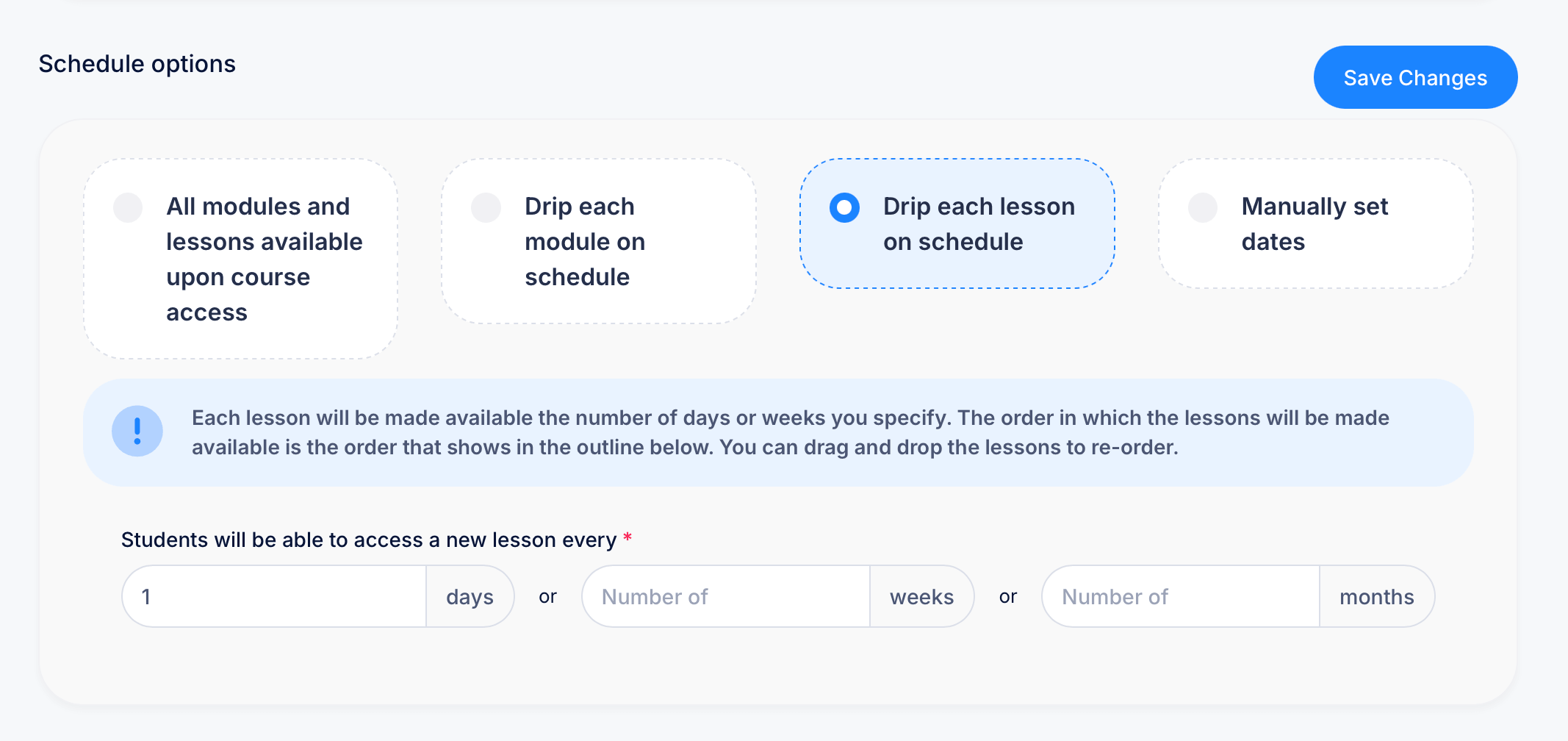
Open a course and find Schedule options to choose how content becomes available to students. There are four choices:
All modules and lessons available upon course access The default. Everything in the course unlocks the instant a student enrolls. Best for self-paced courses, reference material, or anything students might want to jump around in rather than follow in strict order.
Drip each module on schedule Entire modules unlock one at a time, at an interval you set. All lessons within a module become available together, but the next module stays locked until its scheduled release. This works well when your course is organized into clear thematic chunks and you want students to finish one before starting the next.
Drip each lesson on schedule Individual lessons unlock one at a time, following the lesson order shown in your course outline. This gives you finer control than module-level dripping, useful for daily or near-daily release cadences where you want a steady trickle of content rather than large chunks arriving all at once.
Manually set dates Instead of a recurring interval, you set specific calendar dates for when each piece of content becomes available. This is the right choice if your course follows a fixed schedule tied to real dates, like a cohort-based program with set start and end dates, rather than a rolling interval that starts whenever each student enrolls.
Setting the release interval
If you choose either drip option, you'll specify how often new content unlocks. The setting reads "Students will be able to access a new lesson every [ ] days" (or weeks, or months), and you fill in the number. For example, setting this to 7 days means a new lesson unlocks once a week from the date each student enrolled.
The order content unlocks in follows the order shown in your course outline. If you need to change that order, drag and drop lessons or modules in the Outline tab, the drip schedule will follow whatever order you set there.
Choosing the right option for your course
A few situations to consider:
If you're running a self-paced course people complete on their own time, leave it on All modules and lessons available. There's no real benefit to artificially restricting access when there's no cohort or schedule to keep students aligned to.
If your course is meant to feel like a structured program, with students moving through it together over a fixed number of weeks, Drip each module or Drip each lesson keeps everyone roughly in step, without you needing to manually unlock anything as time passes.
If you're running multiple cohorts of the same course on different start dates, or your content is tied to a specific real-world schedule like live sessions, Manually set dates gives you precise control where a rolling interval wouldn't fit.
Tips
It's worth deciding on a release strategy before you open enrollment rather than figuring it out as students start coming in, since switching schedule types partway through can affect what's already visible to students who enrolled under the previous setting.
A drip schedule controls when content unlocks, not whether a student has completed it. A lesson becoming available doesn't mean a student has finished the one before it, so don't rely on drip timing alone if completion of earlier material is actually required before moving on.