

Certificate Design
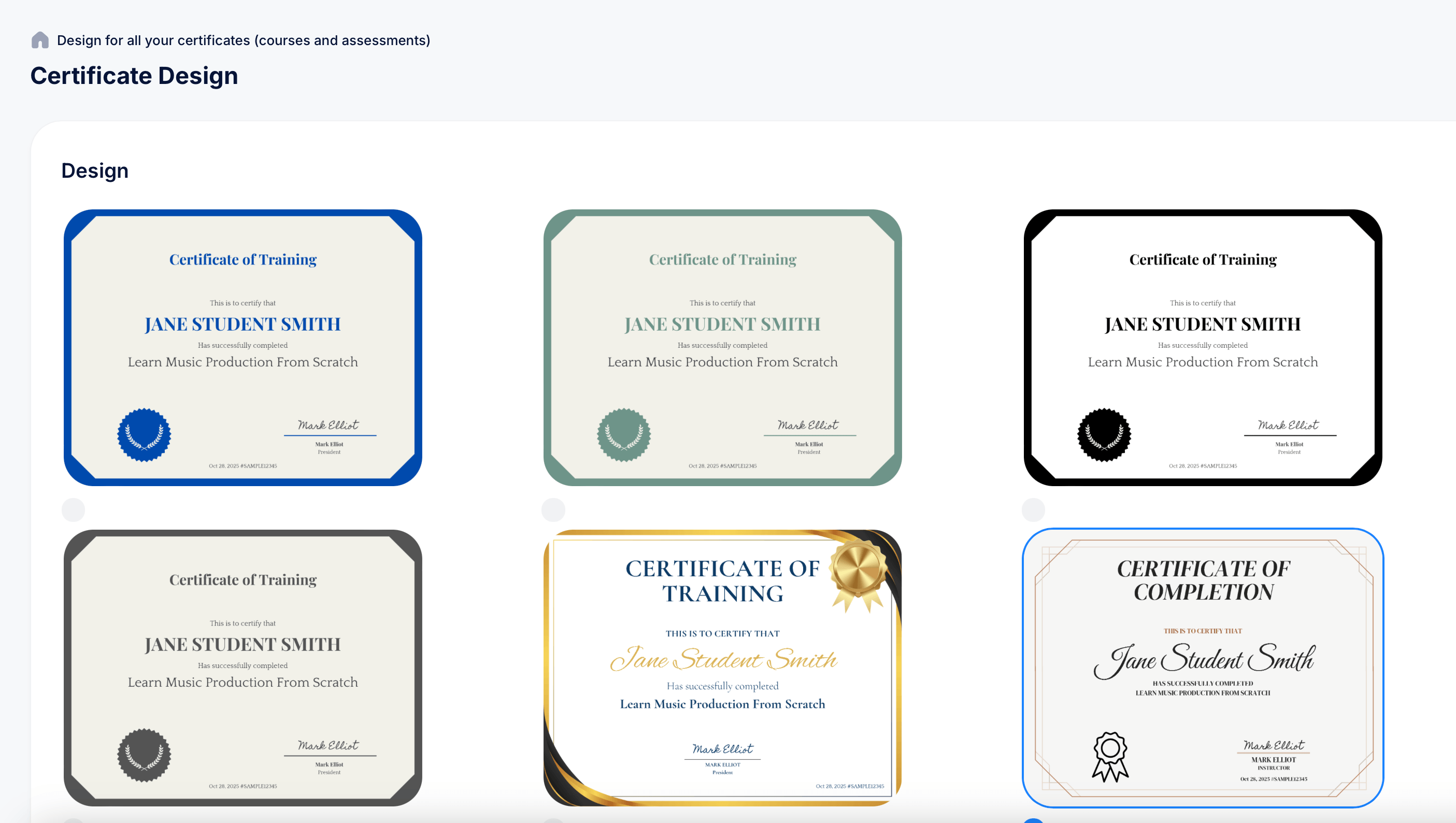
Look & Feel > Certificates is where you set the visual design and wording used across every certificate your account issues, for both courses and assessments. This is different from the per-course or per-assessment Certificates tab, which only controls whether a certificate is sent automatically; the design and content itself is managed here, centrally.
Getting there
Go to Look & Feel > Certificates.
Design
The Design section shows a gallery of certificate templates, each with a different border style and color, for example a blue formal border, a green formal border, a black border, a gray border, a gold ribbon-style design, and a more decorative geometric-bordered style. Each thumbnail shows a live sample using "Jane Student Smith" so you can see exactly how text, signature, and seal placement will look. Click a template to select it as the design used across your certificates.
Content for exam certificates
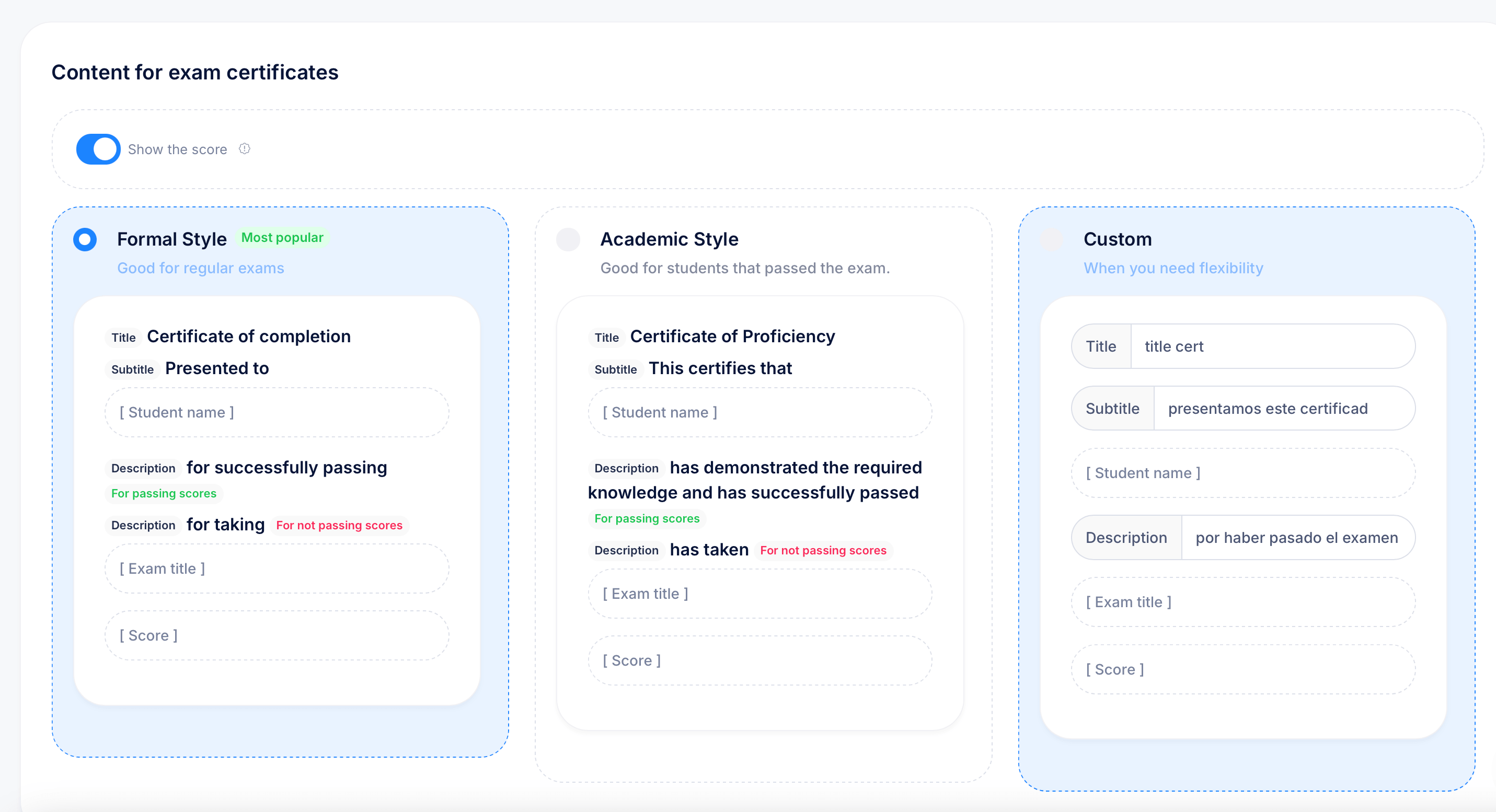
Below Design, Content for exam certificates lets you choose the wording used specifically on certificates issued from assessments. A Show the score toggle controls whether the student's numeric score appears on the certificate itself, separate from whether they passed.
Three content presets are available:
Formal Style (marked Most popular, "Good for regular exams") uses a Title of "Certificate of completion," Subtitle "Presented to," and two Description variants depending on outcome, "for successfully passing" for passing scores, and "for taking" for not passing scores.
Academic Style ("Good for students that passed the exam") uses a Title of "Certificate of Proficiency," Subtitle "This certifies that," and Descriptions "has demonstrated the required knowledge and has successfully passed" for passing scores, or "has taken" for not passing scores.
Custom ("When you need flexibility") lets you write your own Title, Subtitle, and Description text from scratch, with placeholders for [Student name], [Exam title], and [Score] that get filled in automatically per certificate.
Content for course certificates
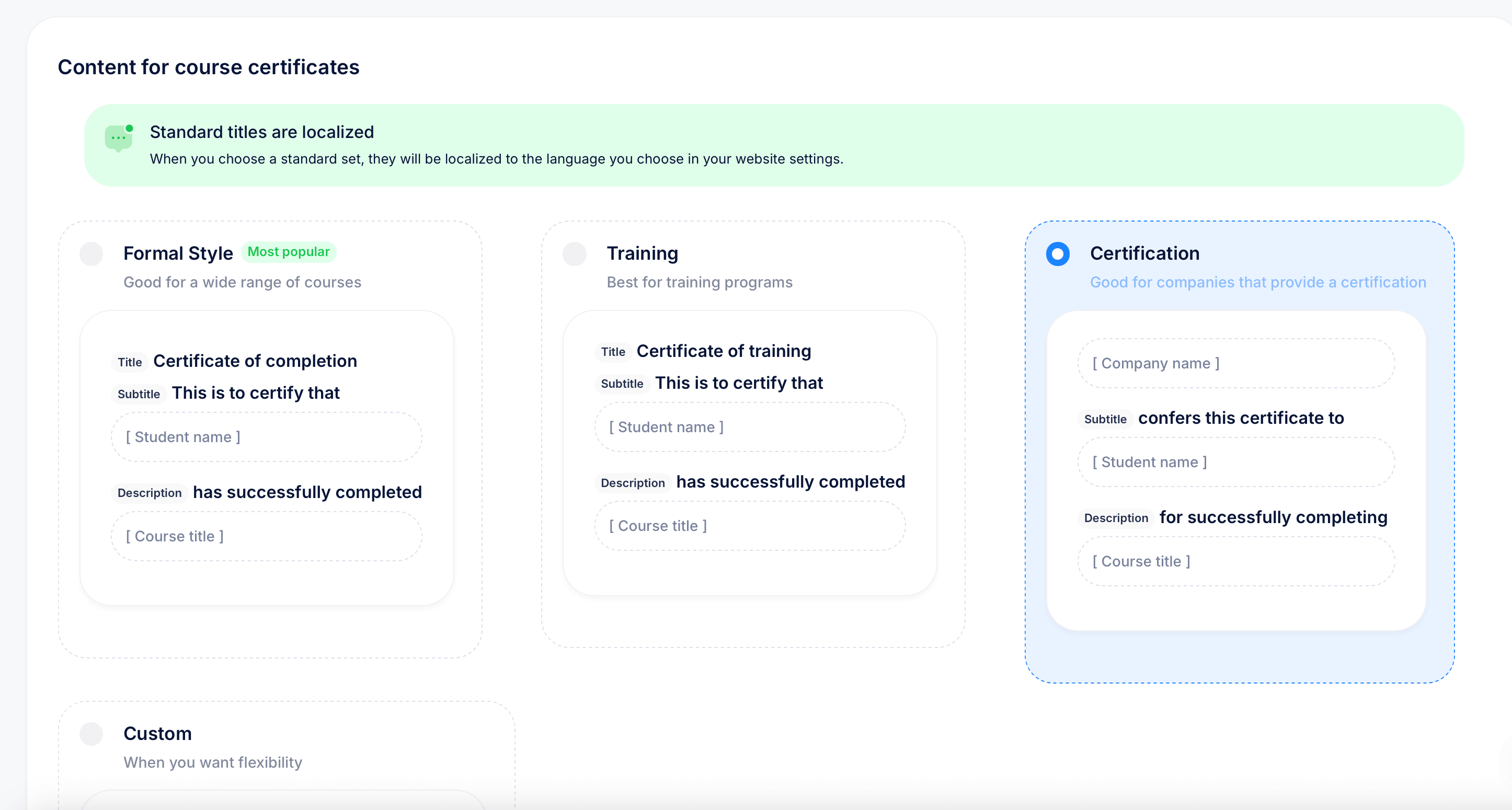
A separate Content for course certificates section works the same way, but for certificates issued on course completion rather than exam results. A green banner notes that Standard titles are localized: when you choose one of the standard presets (not Custom), the title and wording automatically adapt to the language set in your website settings.
Three presets are available here as well:
Formal Style ("Good for a wide range of courses") uses Title "Certificate of completion," Subtitle "This is to certify that," and Description "has successfully completed."
Training ("Best for training programs") uses Title "Certificate of training," with the same Subtitle and Description pattern.
Certification ("Good for companies that provide a certification") adds a [Company name] placeholder above the student name, with Subtitle "confers this certificate to" and Description "for successfully completing."
A Custom option is available here too, for full control over the wording with [Student name] and [Course title] placeholders.
Tips
Choose Custom content only when none of the standard presets fit your tone, since standard presets get automatic localization and custom text doesn't.
If you run both courses and assessments, you don't have to use matching presets for each, a course certificate might use Certification with your company name featured, while exam certificates use the simpler Formal Style, since they're configured independently.
Turn off Show the score on exam certificates if you'd rather the certificate emphasize the achievement of passing rather than the exact percentage earned, particularly useful if you don't want students comparing exact scores with each other.