

Custom domain setup
Getting there
Go to Look & Feel in the top navigation and select Website.
Advanced tab
Portal address
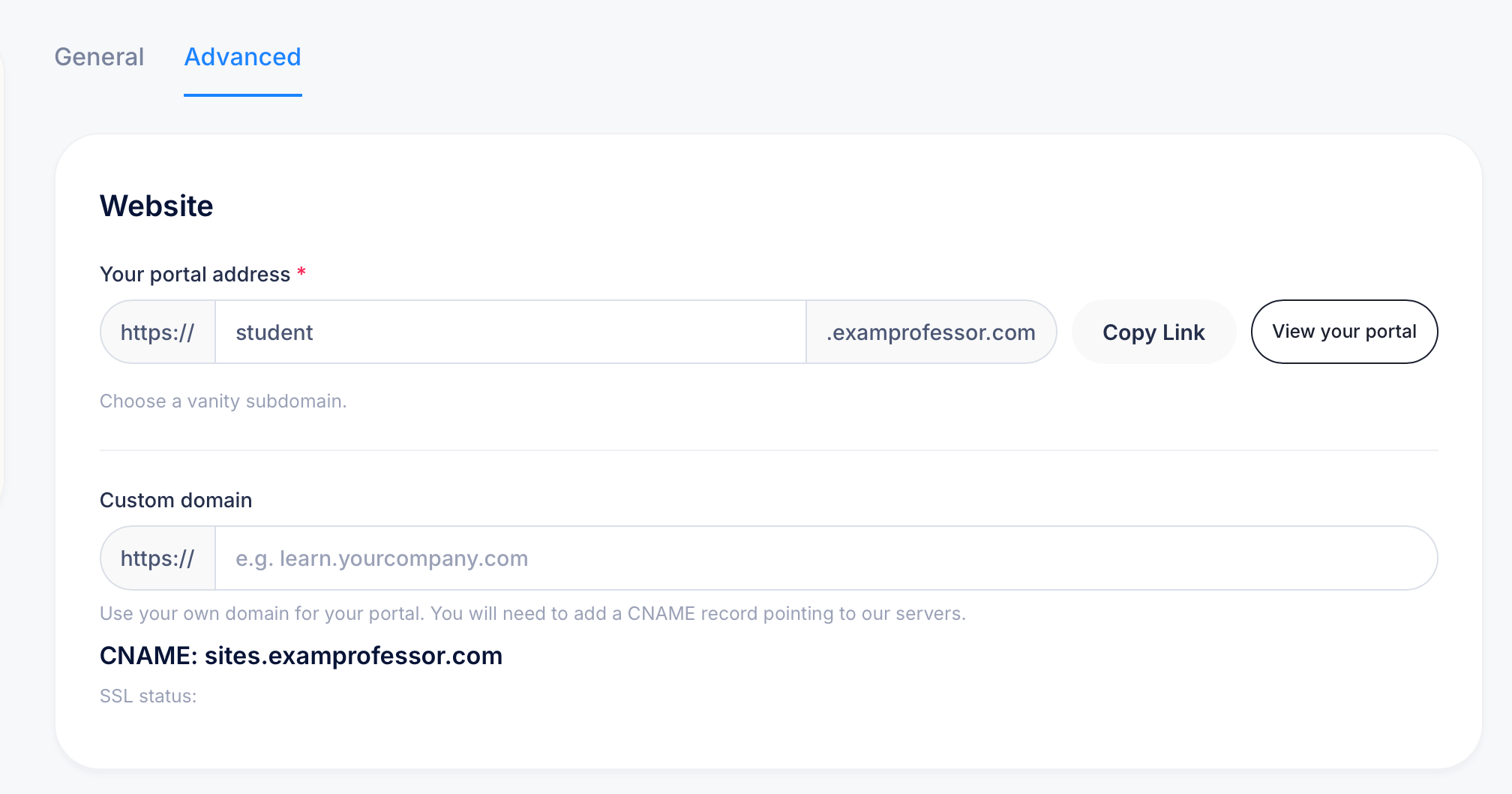
Your portal has a default URL in the format https://[yourname].examprofessor.com. The middle field lets you set a vanity subdomain, replacing the default with something like your organization's name. Use Copy Link to copy the full address, or View your portal to open it directly.
Custom domain
If you'd rather have students access your portal at a completely custom URL like learn.yourcompany.com, enter it in the Custom domain field. You'll need to set up a CNAME record with your domain provider pointing to sites.examprofessor.com. The SSL status field below confirms whether your custom domain's SSL certificate is active once the CNAME is in place.
Tips
Setting up a Custom domain takes a short time to propagate after the CNAME is configured. Check SSL status after a few hours to confirm the certificate has been issued correctly before sharing the custom URL with students.